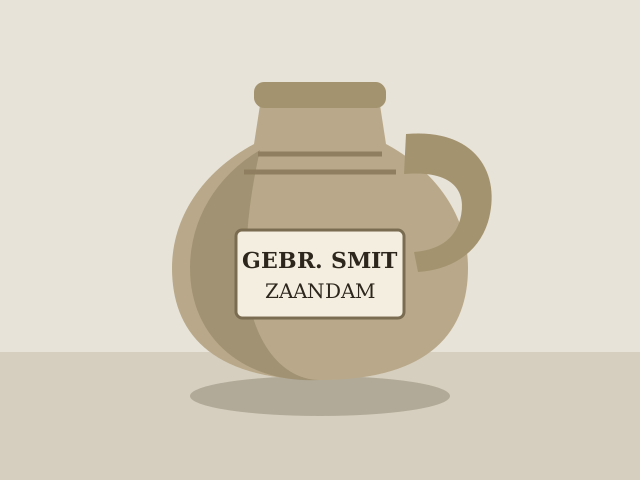
Earthenware jug with a label of Gebr. Smit
- Object number
- 2026.002
- Material
- Earthenware
- Inscription
- GEBR. SMIT, ZAANDAM


Collection registration for small museums
Register your collection with the ten items the Museumnorm 2025 asks for at minimum. Made for volunteers. Your first object is in within a few minutes.
Free up to 250 objects. No credit card needed.
Example with made-up data
Object number
2026.001
The AI filled in 4 fields. Check them before you approve the object.
The AI never fills in
Only you decide these.
4 fields are still waiting for review.
Object type
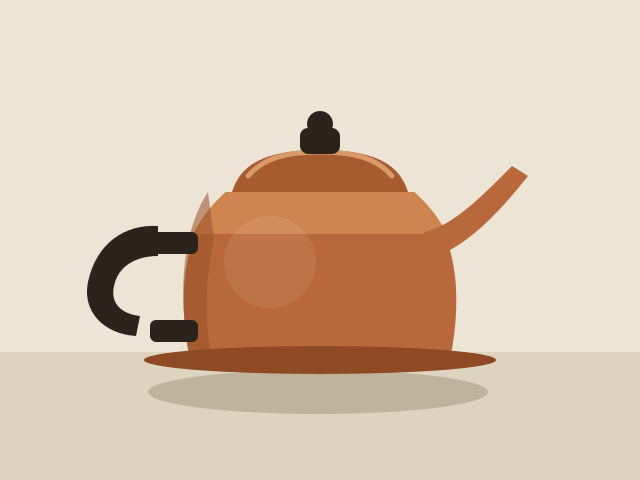
AI draftCoffee pot
Title
AI draftCopper coffee pot with wooden handle
Description
AI draftCopper pot with a curved spout, a lid with a black knob and a black wooden handle. The base shows signs of use.
Material
AI draftCopper, wood
Check this field. The kind of wood in the handle cannot be seen in the photo.
This is an example. There is no real object and nothing is saved.
Step 1
Take a photo or choose one. The object number follows your own numbering.
Step 2
The AI only suggests what the photo shows. You accept each field, edit it or reject it.
Step 3
The object is in your register. If you want to show it, you add it to your public page yourself.
Museumnorm 2025
The Museumnorm 2025 names ten items as the minimum registration. Lade shows for each item who fills it in. So you know what is left to do.
Object name
The AI suggests what the object is.
Short description
The AI describes what you can see in the photo.
Object number
The next number from your own series. You can change it.
Quantity
One by default. You change it for a group.
Current owner
Filled in with your museum. You can change it.
Registrar
The person who is logged in.
Registration date
The day you register the object.
Photo
You take the photo or choose one.
Current location
You choose the place where the object is kept.
Provenance of the object
How the object came to the museum. Only you know this.
Your overview shows, for each of the ten items, how many objects are complete. So you know where to add information first.
Lade supports the minimum registration of the Museumnorm. The Museumregister decides for itself whether a museum meets it.
Honest about AI
A suggestion from the AI is never final. It stays marked until a person accepts it, edits it or rejects it.
Only what the photo shows.
You have this knowledge. The AI does not.
Import
Choose your file and match its columns to the fields in Lade. You see what goes wrong first. Only then does Lade create objects.
| Column in your file | Field in Lade |
|---|---|
| Inv.nr | Object number |
| Wat | Object name |
| Omschr. | Description |
| Waar | Location |
| Notitie | Custom field: Notitie |
Public page
Put approved objects on a page of their own. You decide which fields everyone sees. What you do not choose stays internal.
A made-up museum with made-up data.
Download your whole collection as CSV or JSON, at any time and on every plan.
Every change is in it: who, what and when.
You can restore a deleted object for 30 days. You cannot delete an approved object.
Your data is kept on servers in the European Union.
All amounts are per year and exclude VAT. You pay by invoice.
Free
250 objects
€290 per year
excl. VAT
5,000 objects
€790 per year
excl. VAT
Unlimited (fair use)
No. You can also fill in every object entirely yourself. The AI is a tool.
Only the people you invite. The public page shows only what you choose.
Yes. You can always export as CSV or JSON, also on the free plan.
No, and we do not claim it is. Lade supports the minimum registration of the Museumnorm 2025. The Museumregister decides for itself whether your museum meets it.
Nothing. The Start plan is free up to 250 objects. Reading and exporting always keep working.
Yes. Lade works on a computer, a tablet and a phone.
Make a free account and register your first object. You do not need a credit card.